

Presentations that open your PowerPoint files
Xrero Slides is the free presentation app in Xrero Office, from Xrero, the Dubai business software. Build and present decks from .pptx files, with transitions, a presenter view and full Arabic support.
Free · part of Xrero Office 20.0.9 · Windows 10 and 11, 64-bit · macOS 11 or laterOn a Mac: Apple silicon · Intel
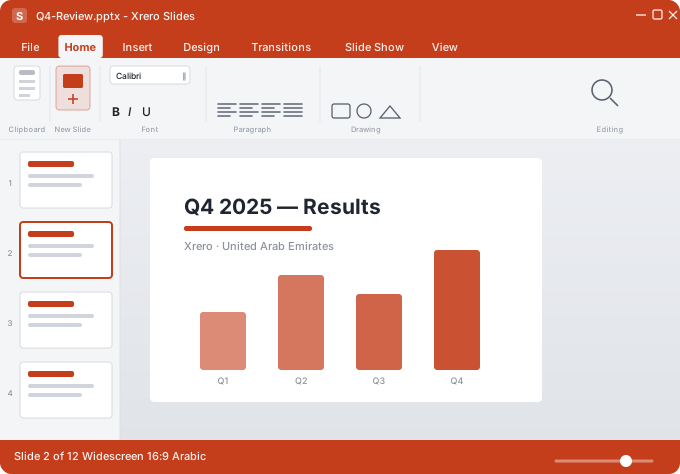
What is Xrero Slides?
- Xrero Slides is the free presentation app in Xrero Office, the desktop suite from Xrero, the Dubai business software.
- It opens and saves PowerPoint .pptx and .ppt files, plus .odp, with no conversion step, and exports to PDF.
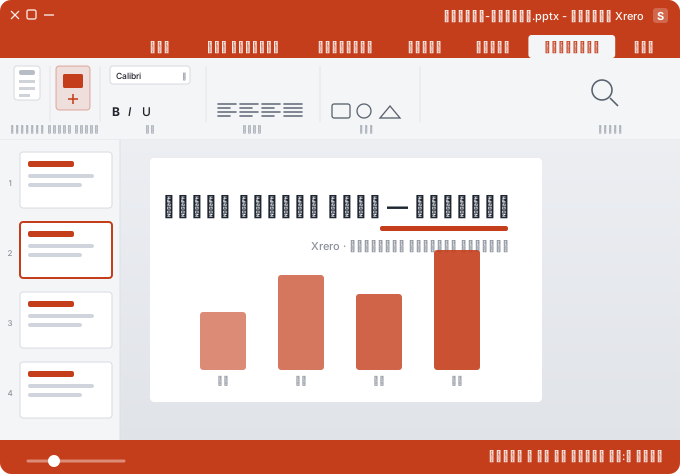
- It has transitions and animations, slide masters and layouts, speaker notes and a presenter view with a timer and the next slide, and right-to-left Arabic slides from the first slide to the PDF.
- It is free, part of Xrero Office 20.0.9 for Windows 10 and 11 (64-bit) and macOS 11 or later (Apple silicon and Intel).
What can Xrero Slides do?
| What | Xrero Slides |
|---|---|
| Price | Free, part of Xrero Office: no subscription |
| Opens and saves | PowerPoint .pptx and .ppt (PowerPoint 97–2003), and OpenDocument .odp |
| Exports | |
| Transitions and animations | Slide transitions and per-object animations with timing, effects and motion paths |
| Slide master | Master slides, reusable layouts and themes |
| Presenter view | Speaker notes, a timer and the next slide on your screen; only the slides on the audience's screen |
| On the slide | Pictures, shapes, tables and charts, lined up with alignment guides |
| Arabic | Right-to-left layouts and Arabic typography, from the first slide to the PDF |
| Version | Xrero Office 20.0.9 |
| Windows | Windows 10 and 11, 64-bit |
| Mac | macOS 11 or later, Apple silicon and Intel |
Type your slide, see it live
Change the text or the colour; the slide follows as you type.
Everything in Xrero Slides
Slide transitions and per-object animations with timing, effects and motion paths.
Keep every deck on-brand with master slides, reusable layouts and themes.
Speaker notes, a timer and a preview of the next slide while you present.
Pictures, shapes, tables and charts, lined up with alignment guides.
Notes on each slide for rehearsal, handouts and consistent delivery.
Right-to-left layouts and Arabic typography, from the first slide to the PDF.
The room is set. So is your deck.
Notes and a timer on your screen; only the slides on theirs.
What people build with it
Decks with animation, charts and a clean slide master.
Structured lessons with speaker notes and the presenter view.
Quarterly reviews in the .pptx files everyone already uses.
Opens and saves the files you already use
No conversion step: work with the files your team and clients send you.
.pptxPowerPoint.pptPowerPoint 97–2003.odpOpenDocumentPDFexportCommon questions
Can Xrero Slides open PowerPoint files?
Yes. It opens and saves PowerPoint .pptx files and older .ppt (PowerPoint 97–2003) files with no conversion step, and it also handles .odp.
Is Xrero Slides free?
Yes. It is part of the free Xrero Office suite, with no subscription.
Is there a free presentation app that supports Arabic?
Several free presentation apps exist. Xrero Slides is one: it is free, opens and saves PowerPoint .pptx files, and builds right-to-left Arabic slides with Arabic typography. Try it on your own decks.
Does Xrero Slides have a presenter view?
Yes. While you present, your screen shows your speaker notes, a timer and a preview of the next slide; the audience sees only the slides.
Can I make Arabic presentations in Xrero Slides?
Yes. Slides has right-to-left layouts and Arabic typography, from the first slide to the exported PDF.
Does Xrero Slides have animations and transitions?
Yes. Slide transitions and per-object animations, with timing, effects and motion paths.
Can I save a presentation as a PDF?
Yes. Slides exports a presentation to PDF, Arabic slides included.
Does Xrero Slides work on a Mac?
Yes. It comes with Xrero Office for macOS 11 or later, on Macs with Apple silicon or Intel. On Windows it needs Windows 10 or 11, 64-bit.
Does Xrero Slides run in the browser?
No. The try-it box on this page only gives a taste of the editor in your browser; the app itself runs on your computer, as part of Xrero Office.
Who makes Xrero Slides?
Xrero (X-R-E-R-O), the business software built in Dubai, UAE. It is not Xero (X-E-R-O), the New Zealand accounting company.